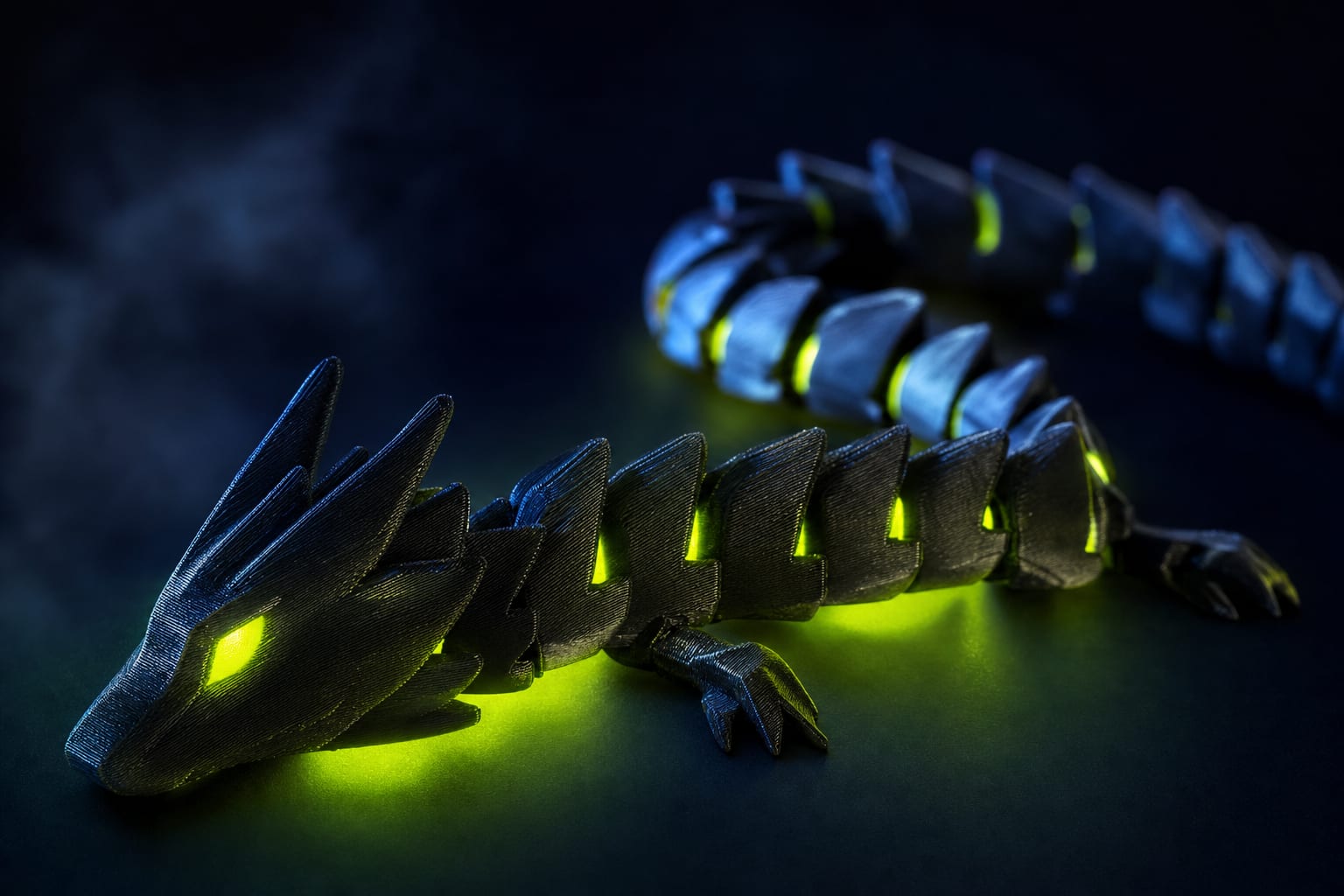
If your articulated flexi-toy comes out as one fused chunk — or rattles like dollar-store junk — the problem is almost always the joint gap, not the slicer. There's a clean formula for it, and we verified it across 12 flexi-toys in our catalog. Layer height is the variable nobody talks about.
The Formula in One Line
Minimum print-in-place joint gap equals 1.5 × layer height + 0.05 mm tolerance buffer. For Bambu Studio's default 0.20 mm layer height that means a 0.35 mm gap. For draft mode at 0.28 mm — a 0.47 mm gap. This is a minimum; we recommend adding 0.05–0.10 mm safety margin in production models.
Quick reference for common layer heights on a 0.4 mm nozzle, PLA filament:
- 0.08 mm (fine): 0.17 mm gap — smallest, ideal for keycap-scale articulated parts
- 0.12 mm: 0.23 mm gap — standard for small fidgets and charms
- 0.16 mm: 0.29 mm gap — most common for medium-scale flexi-toys (10–15 cm)
- 0.20 mm (default): 0.35 mm gap — Bambu Studio default, works for 90% of cases
- 0.24 mm: 0.41 mm gap — fast mode, joints become slightly looser
- 0.28 mm (draft): 0.47 mm gap — large-scale prints, visible gaps but acceptable
Critical rule: do not change layer height between prototype and production. The joint geometry is locked to the chosen value. If your prototype was at 0.20 mm and you push production at 0.16 mm to save time — joints fuse. We learned this the hard way on the Flexi Cat Simba V1.
Why 1.5 × Layer Height? Derivation from First Principles
The formula isn't arbitrary — it falls out of how FDM extrusion physically lays plastic. Three effects determine the minimum viable gap.
Extrusion overlap
A 0.4 mm nozzle extrudes a bead that's 0.4–0.5 mm wide depending on flow ratio. Adjacent walls overlap by 10–15% on purpose for layer adhesion. This overlap bleeds into the gap. With a 1.0 × h gap, the overlap closes 30% of designed clearance.
Layer step-down on overhangs
The first layer of an unsupported wall above a joint is laid hot and droops slightly into the gap below. For joint planes parallel to the bed this is negligible. For tilted joints — ball sockets, angled hinges — droop eats around 0.5 × h of clearance on the overhanging side.
Thermal shrinkage on cool-down
PLA shrinks about 0.3% during cooling from 210 °C to 25 °C. For a 10 mm part that's 0.03 mm. Across both halves of a joint you lose 0.06 mm total clearance after the print finishes — close to the 0.05 mm constant in the formula.
Sum: 0.5 × h (overlap) + 0.5 × h (overhang droop) + 0.5 × h (extrusion variability) + 0.05 mm (shrinkage) ≈ 1.5 × h + 0.05 mm.
Verification Across 12 Flexi-Toys
We pulled gap measurements from 12 articulated models in our catalog using Orca Slicer's layer cross-section view. All were designed for 0.20 mm layer height, theoretical minimum 0.35 mm.
- Flexi Cat Simba V2 — designed gap 0.40 mm — smooth motion, slight friction
- Flexi Octopus — 0.40 mm — smooth
- Flexi Snake Skeleton — 0.35 mm — tight, breaks in after 5 cycles
- Flexi Whale — 0.42 mm — loose, audible rattle
- Flexi Crab — 0.38 mm — smooth
- Flexi Wolf — 0.40 mm — smooth
- Flexi Frog — 0.36 mm — stiff initially, breaks in
- Skeleton Unicorn — 0.40 mm — smooth
- Flexi Zombie — 0.38 mm — smooth
- Flexi Scorpion — 0.42 mm — slight wobble (by design)
- Flexi Skunk — 0.40 mm — smooth
- Flexi CatDog — 0.35 mm — tight, first 3–4 prints fused
Pattern: everything ≥ 0.38 mm (i.e. +0.03 mm over theory) prints reliably. At theoretical minimum 0.35 mm, ~30% of prints come out with fused joints depending on filament brand and printer calibration. Our recommendation: design at 1.5 × h plus 0.05–0.08 mm safety margin for production-grade reliability.
Material-Specific Adjustments
The base formula is PLA-calibrated. Other materials need offsets due to different thermal expansion coefficients and layer adhesion behavior.
- PLA — base formula (1.5 × h + 0.05). Reference.
- PETG — add +0.05 mm. Higher thermal expansion coefficient (60 vs 41 μm/m·K), more shrinkage post-print.
- TPU 95A — add +0.10 mm. Aggressive layer adhesion fuses tight joints even after cool-down.
- ABS — add +0.07 mm. High shrinkage plus warping pulls walls inward.
- ASA — add +0.08 mm. Similar to ABS, slightly worse.
- PA-CF (nylon) — base formula, but anneal post-print. Anneal at 80 °C contracts the part ~0.6%, partially closing the gap.
TPU is the trickiest: layer adhesion is so good that joints designed at PLA-spec gap will fuse even after cool-down. The 0.10 mm offset compensates. PA-CF requires post-print annealing for strength, which shrinks the part by 0.5–0.6% — design at PLA-spec gap and let the anneal close it slightly.
Common Failure Modes and Fixes
Joint fully fused, parts don't move
Designed gap was too small for your layer height OR the printer is over-extruding. Check flow ratio first — should be 0.97–1.00 for most PLA brands; some Sunlu/Esun batches need 0.92–0.95. If flow is correct, increase the gap by 0.05 mm and re-print just the joint.
Joint moves but produces stringing inside the cavity
Travel paths are crossing the gap. In Bambu Studio enable Avoid crossing wall and increase retraction by 0.5 mm. Outer perimeter speed should stay ≤ 50 mm/s on the joint layer.
Joint works on day 1, fuses by day 7
This is PLA cold-flow under load. If the joint is held compressed — say, a coiled flexi-snake in a box — plastic deforms permanently over hours. Solution: store articulated PLA toys in extended position. Or switch to PETG, which doesn't cold-flow.
Joint loose, but the model prints in inverted orientation
Tilted joint planes (ball sockets at 30°) lose 0.5 × h to overhang droop. For these joints use 2.0 × h gap instead of 1.5 × h. The build-a-hero modular figures in our catalog use 2.0 × h for all shoulder and hip sockets.
Slicer Settings That Affect Gap
Even with perfect CAD gap, three slicer settings can ruin the joint:
- Flow ratio. If > 1.00, joint walls bleed into the gap. Calibrate before designing.
- Outer wall speed. Above 60 mm/s causes inconsistent extrusion on small features. Drop to 40–50 mm/s for joint-containing layers.
- Cooling. Joints printed at 50% fan fuse 2–3× more often. Force 100% fan on joint layers via height-range modifier in Bambu Studio or Orca.
When to Break the Formula
The 1.5 × h rule is a minimum. Three cases where you should intentionally use a larger gap:
- Multi-axis joints (ball sockets): 2.0 × h minimum — binding under angled load is worse than a visible gap.
- Toys for kids under 5: larger gap means easier articulation for small hands and lower fatigue load on the print.
- Large prints over 25 cm: thermal warping is larger in absolute mm. Add 0.10–0.15 mm beyond the formula.
Three cases where you can go below 1.5 × h:
- 0.2 mm or smaller nozzle: finer bead, less overlap bleed. Try 1.2 × h.
- Resin (SLA / MSLA): fixed 0.15 mm gap regardless of layer height — different physics entirely.
- Friction-fit press joints that should NOT move freely: 0.5 × h gap plus heat-snap installation.
Summary
Print-in-place joint design comes down to one formula and a handful of material offsets:
- Minimum gap: g = 1.5 × h + 0.05 mm
- Add +0.05 mm safety margin in CAD for production reliability
- Material offsets: PETG +0.05, TPU +0.10, ABS/ASA +0.07
- Multi-axis sockets (ball joints): use 2.0 × h
- Verify in slicer cross-section before printing — saves 4 hours per iteration
- Pick layer height BEFORE designing, never mix across prototype and production runs
This is what we use across every flexi-toy and build-a-hero figure in the 42 STUDIO catalog. Test the formula on a single joint before committing to a full multi-part model — 8 minutes saved vs 4 hours wasted.


Ready to Start Printing?
Browse our collection of 3D printable models — from flexi toys to cat masks.
Visit Our Store →