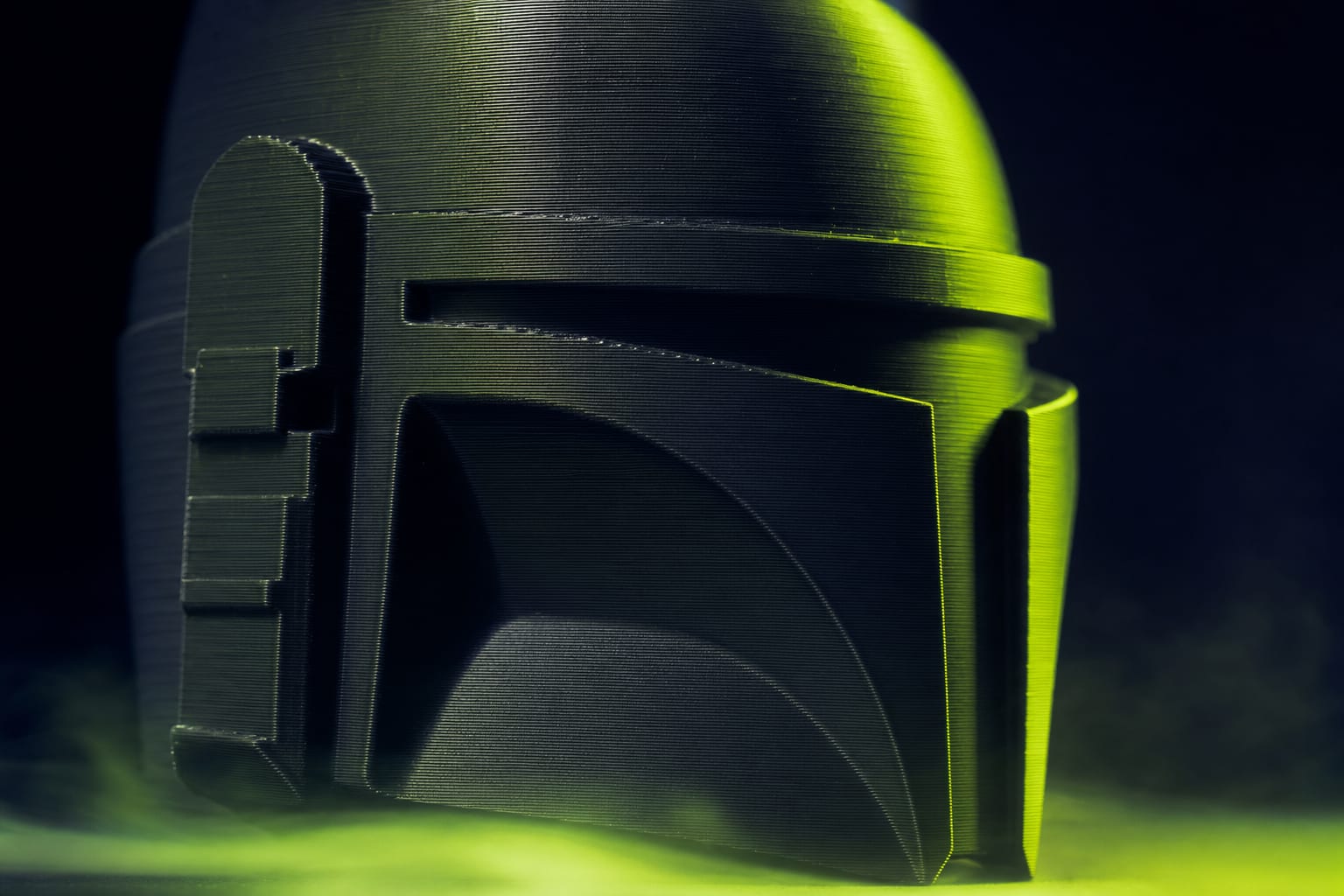
Fixed 0.20mm layers waste time on tall vertical walls and look pixelated on steep curves. Adaptive layer height uses thicker layers where details don't matter and thinner where they do — automatically. Here's how the algorithm actually decides, and which of our catalog models benefit most.
What Adaptive Layer Height Does
Standard fixed-layer printing applies the same layer thickness (0.16mm, 0.20mm, etc.) for the whole print. Adaptive layer height varies the thickness layer-by-layer based on model curvature at that Z height. Where the surface is steeply curved (lots of detail per millimeter), thin layers preserve the detail. Where the surface is mostly vertical (no Z-axis detail to preserve), thick layers save time.
Both Bambu Studio and Orca Slicer support this. The algorithm runs at slice time — you set a min/max range (e.g. 0.08mm to 0.28mm) and a quality threshold, and the slicer picks the optimal thickness per layer.
How the Algorithm Picks Each Layer
Internally, the slicer looks at the slope of the model surface relative to vertical:
- 90° (perfectly vertical wall) — no detail lost at thick layers. Algorithm picks the max layer height (0.28mm).
- 45° (45° overhang) — moderate detail. Algorithm picks roughly the midpoint (0.16mm).
- 10° (near-horizontal top) — every Z-step is visible as a stair-step. Algorithm picks the minimum (0.08mm).
- 0° (perfectly flat top) — handled separately by the slicer's 'top surface' logic, not adaptive layer.
Mathematically, the picked thickness is roughly: h = clamp(h_min, h_max, h_target × sin(slope)). So a model with mostly steep curves gets near-minimum layers; mostly flat walls get near-maximum.
Real Time and Quality Comparison
We sliced 5 catalog models in three modes: fixed 0.20mm, fixed 0.12mm, adaptive 0.08–0.28mm. All other settings identical (Bambu A1, PLA Basic, 100% infill on shells).
- Hollow Knight Keycap — fixed 0.20: 18min / acceptable. Fixed 0.12: 32min / clean. Adaptive: 23min / clean. Adaptive wins (28% slower than 0.20, but matches 0.12 quality).
- Captain America Cat Mask — fixed 0.20: 3h 28min / acceptable. Fixed 0.12: 5h 51min / clean. Adaptive: 3h 49min / clean. Adaptive wins clearly (only 10% slower than 0.20).
- Urban Skull Build-a-Hero 20cm — fixed 0.20: 12h 12min / mixed (smooth vertical, stairstep on dome). Fixed 0.12: 19h 30min / clean. Adaptive: 14h 8min / clean. Adaptive wins clearly.
- Flexi Cat Simba — fixed 0.20: 4h 5min. Fixed 0.12: 6h 47min. Adaptive: 5h 12min. Fixed 0.20 wins — model is mostly cylindrical, adaptive doesn't save much over fixed-thick layers.
- Mario Hat — fixed 0.20: 6h 21min. Fixed 0.12: 10h 15min. Adaptive: 7h 8min. Adaptive wins for the top curve.
Pattern: models with mixed geometry (some flat walls + some steep curves) benefit most. Models with single-curvature shapes (cylinders, simple boxes) gain little.
When Adaptive Layer Height Is Worth Enabling
From the data above, adaptive layer height is clearly the right choice for:
- Build-a-hero figures — mix of helmet curves (need thin) and torso walls (can be thick). 15–25% time saving at equal quality.
- Cat masks — eyes, snout, ear curves benefit from thin layers; cheekbones are mostly flat. 10–15% saving.
- Keycaps with relief detail — top sculpt needs thin; sides are vertical. 30%+ saving.
- Lampshades, vases — single-pass spiral mode handles this natively, but for solid-wall versions, adaptive helps.
Adaptive layer height is NOT worth enabling for:
- Flat boxes, signs, name plates — fixed 0.20mm is faster and identical quality.
- Cylindrical flexi-toys — geometry doesn't reward variable layers.
- Print-in-place mechanisms — the joints depend on specific layer height; variable thickness can fuse them. Disable for any model with print-in-place joints.
Bambu Studio Settings
How to enable in Bambu Studio:
- Process settings → Quality → Layer height section
- Toggle Adaptive layer height on
- Set Maximum adaptive layer height: 0.28mm (default) or 0.32mm (max for 0.4mm nozzle)
- Set Minimum adaptive layer height: 0.08mm (default) or 0.12mm if your printer struggles with very thin layers
- Adaptive quality: 0.5 = aggressive (more variation, faster), 0.7 = balanced (default), 0.9 = conservative (less variation, slower)
Orca Slicer Settings
Orca's UI is slightly different:
- Quality tab → Layer height section → enable Variable layer height
- Click the Adaptive button next to the layer-height slider to see the picked-per-layer thicknesses
- Smoothing: 5 = smooth transitions (recommended), 0 = sharp changes (may cause visible bands)
- Orca lets you manually edit the layer-height curve in 3D view — drag points up/down on specific Z heights
Orca's manual editing is powerful for hero-models where you want the visible front to use thin layers and the back to use thick layers. Bambu Studio doesn't have this manual override.
Visible Layer Banding
The main visual artifact of adaptive layer height is faint horizontal banding at thickness transitions. This is most visible on:
- Silk PLA — reflective surface highlights every transition as a glint line
- Single-color matte filaments — less visible, but raking light reveals the bands
- Black or dark colors — light absorption hides 90% of banding
- Multi-color AMS prints — color changes mask the bands entirely
If you must use silk PLA with adaptive: increase 'Smoothing' to 7+ in Orca (or 0.9 quality in Bambu). Transitions spread over 5–8 layers instead of 1, making bands invisible.
Adaptive Layer Height + Multi-Color AMS
Adaptive layer height changes layer Z-positions. Multi-color prints have AMS color changes at specific Z-heights (the slicer plans them). If adaptive layer height puts a layer transition exactly at the color-change Z, color bleeding can occur.
Bambu Studio v2.0+ handles this correctly — the slicer locks adaptive layers to align with color-change boundaries. v1.x had this bug. If you see color bleeding at AMS swap points: update Bambu Studio first. Don't disable adaptive layer height — the bug isn't in the algorithm, it's in old slicer versions.
Print Settings That Pair Well
If you enable adaptive layer height, consider also:
- Variable cooling fan — at thinner layers (more time per layer), reduce fan to 60% to avoid over-cooling. At thicker layers (less time), keep 100%. Bambu Studio sets this automatically.
- Acceleration override on thin layers — fast acceleration on 0.08mm layers can ring. Cap at 8000 mm/s² for layers below 0.12mm.
- Outer wall speed — at 0.08mm layer, outer-wall speed should drop to 40–50mm/s (vs 80mm/s on 0.20mm). Otherwise extrusion underflows.
- Pressure Advance — recalibrate if you're using non-default values. Different layer thicknesses can shift optimal PA by 0.005.
Summary
- Adaptive layer height varies thickness based on surface curvature
- Algorithm picks thin (0.08mm) on steep slopes, thick (0.28mm) on vertical walls
- Best for mixed-geometry models: build-a-hero, cat masks, keycaps with relief
- Skip for flat boxes, cylindrical flexi-toys, and print-in-place models
- Bambu Studio quality: 0.5 (fast) / 0.7 (default) / 0.9 (conservative)
- Silk PLA may show bands at transitions — increase smoothing to hide them
- AMS + adaptive works on Bambu Studio v2.0+, has bugs in v1.x


Ready to Start Printing?
Browse our collection of 3D printable models — from flexi toys to cat masks.
Visit Our Store →