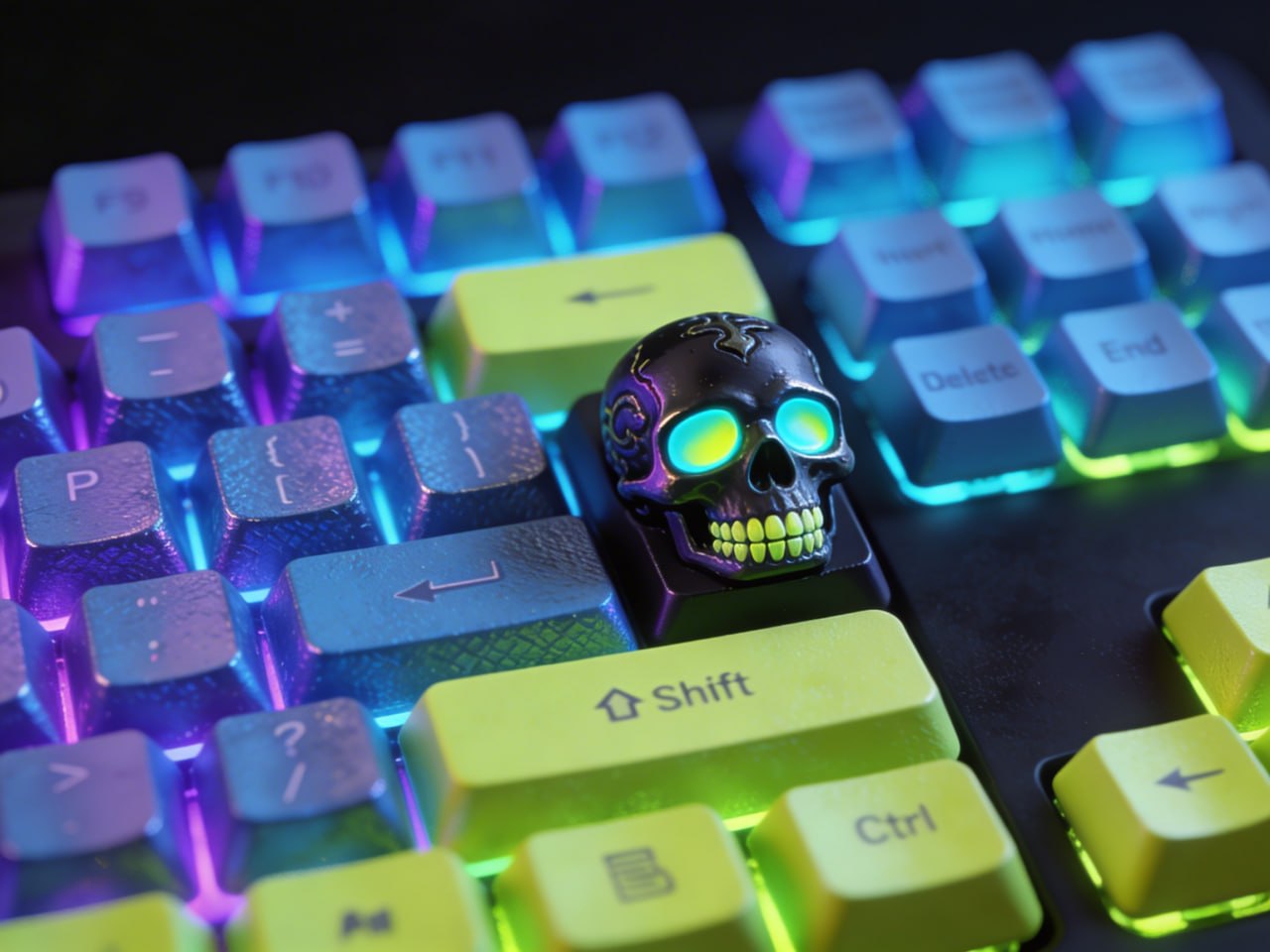
Why Custom Keycaps?
Artisan keycaps are the jewelry of the mechanical keyboard world. A single hand-sculpted resin keycap sells for $40-100+ on marketplaces like Drop and Etsy. With a 3D printer, you can create one-of-a-kind caps for under $0.50 each in materials. Whether you want to personalize your own board or build a side business selling artisan caps, 3D printing gives you total creative freedom.
The keycap community is massive and passionate. r/MechanicalKeyboards has over 1.5 million members, and custom artisan caps are consistently the most upvoted posts. A well-designed sculpted keycap can go viral overnight.
Understanding Keycap Profiles & Stems
Before you print anything, you need to understand the mechanical interface. Almost all mechanical keyboards use the Cherry MX stem — a cross-shaped mount point with these critical dimensions:
- Cross width: 1.17mm per arm
- Cross length: 4.0mm vertical, 4.0mm horizontal
- Total stem depth: 3.5-4.0mm
- Wall thickness around stem: minimum 1.0mm
The stem cavity must be precise. Too tight and it'll crack the keycap or damage the switch. Too loose and it wobbles or falls off. Always, always print a test stem before committing to a full design. Print 3-4 variants with slightly different tolerances (±0.05mm) and test-fit them.
Keycap profiles affect the typing feel and row compatibility:
- Cherry profile: Low, sculpted. Most popular for custom boards
- OEM: Medium height, what most stock keyboards use. Slightly taller than Cherry
- SA: Tall, spherical top. Dramatic look, retro feel. Great for artisan sculpts because there's more surface area to work with
- DSA: Uniform height across all rows. Simpler to design since every row is identical
Resin vs FDM for Keycaps
Resin (SLA/MSLA) is the clear winner for keycaps. Here's why:
- Resolution: 0.035-0.05mm XY vs 0.4mm nozzle on FDM. Resin captures details that FDM physically cannot reproduce
- Surface finish: Nearly smooth out of the printer. Minimal post-processing
- Stem precision: Resin nails the tight tolerances needed for MX stems consistently
- Material properties: Cured resin is rigid and smooth — feels like a real keycap
FDM can work for larger, simpler designs. Use 0.08-0.12mm layer height, 100% infill, and a 0.2mm nozzle if you have one. Orient the keycap stem-side-up for the best stem accuracy. PLA at 100% infill feels solid enough for daily use. PETG adds durability but is slightly harder to get smooth.
Budget resin printers like the Elegoo Saturn series ($200-350) and Anycubic Photon Mono ($150-200) are absolutely good enough for professional-quality keycaps. The $25-35 per liter of standard resin goes a long way when each cap uses less than 3ml.
Designing Artisan Keycaps
Start with a base keycap model that matches your target profile. Free Cherry MX keycap templates exist on Thingiverse, Printables, and GitHub. Import the base into your modeling software, then sculpt on top.
Software Options
- Blender (free): Best for organic sculpts — monsters, animals, characters. Steep learning curve but incredibly powerful
- ZBrush ($40/month): Industry standard for sculpting. Best for highly detailed artisan designs
- Fusion 360 (free for hobbyists): Best for geometric and mechanical designs — logos, symbols, patterns
- TinkerCAD (free): Surprisingly capable for simple designs. Good for text and basic shapes
Design Rules
- Never modify the stem cavity dimensions. Creativity goes on the visible surfaces only
- Keep the total keycap height reasonable — under 18mm for SA profile, under 12mm for Cherry. Taller caps feel wobbly
- Minimum wall thickness: 1.0mm for resin, 1.5mm for FDM
- Avoid deep undercuts that trap uncured resin (for SLA) or need supports inside the stem cavity
- Design for the escape key or a function key first — single-key artisans are the standard
Painting & Finishing Keycaps
Raw resin prints need UV curing (2-6 minutes in a curing station), then light sanding with 400-grit to create a paint-ready surface. For FDM, start with 220-320 grit to knock down layer lines, then 400-600 for smoothness.
Painting workflow:
- Prime with Tamiya Fine Surface Primer (spray can). Two thin coats, 15 minutes between coats
- Base coat with acrylic paint. Citadel, Vallejo, and Army Painter all work great. Use a fine brush (size 0 or 00) for details
- Wash with thinned dark paint to bring out crevices and sculpted details. Agrax Earthshade from Citadel is the go-to
- Dry brush highlights on raised surfaces
- Clear coat with 2-3 thin layers of polyurethane spray. Matte finish hides fingerprints better than gloss and feels better to type on
For transparent resin caps: skip the paint entirely. Tint the resin with alcohol ink before printing, embed small objects (dried flowers, glitter, tiny figurines) in a clear resin pour over the cured cap. These "artisan resin pour" caps sell for $50+ each.
Selling Custom Keycaps
Artisan keycaps are a legitimate side hustle. Here's where to sell:
- Etsy: Largest audience. Search volume for "artisan keycap" is consistently high. Price $15-40 per cap
- r/mechmarket: Reddit's keyboard marketplace. Engaged buyers who know what they want
- Instagram: Post beauty shots of your caps on keyboards. The keycap community is very visual
- Your own store: Platforms like 42prints.com let you sell directly
Production cost per resin keycap: ~$0.30 resin + $0.50 paint supplies + 10 minutes labor. Selling at $25 gives you excellent margins. Start with a series of 5-10 designs in a cohesive theme (anime characters, animals, fantasy monsters) and build from there.
Quick Reference: Keycap Print Settings
Resin: 0.035-0.05mm layers, 2.5-3s exposure (mono screens), stem-up orientation, light supports on base edges. Cure 4-6 min under 405nm UV.
FDM: 0.08-0.12mm layers, 100% infill, 0.2-0.4mm nozzle, 195-205°C PLA, 30mm/s max speed, stem-side-up, brim for bed adhesion. Post-process with filler primer and sanding.


Ready to Start Printing?
Browse our collection of 3D printable models — from flexi toys to cat masks.
Visit Our Store →